
Thrills of PC Building
It’s been a while. What happened? Well, not that much. I’m just really inconsistent with these things.
Unfortunately, I don’t have any video content to share as I don’t have the “studio” setup to do so. There are a lot of PC building videos anyway, so I don’t think I’ll stand out from the rest. So enjoy this written version of what I’ve gone through in terms of building and testing.
Here’s the setup:
| Type | Item | Price | Merchant |
|---|---|---|---|
| CPU | AMD Ryzen 7 9800X3D 4.7 GHz 8-Core Processor | $399.99 | Micro Center |
| CPU Cooler | Thermalright Peerless Assassin 120 SE 66.17 CFM CPU Cooler | $34.90 | Amazon |
| Motherboard | Gigabyte B650M GAMING PLUS WIFI Micro ATX AM5 Motherboard | $109.99 | Newegg |
| Memory | TEAMGROUP T-Force Delta RGB 16 GB (2 x 8 GB) DDR5-6000 CL38 Memory | $0.00 | Newegg |
| Storage | Samsung 990 Pro w/Heatsink 4 TB M.2-2280 PCIe 4.0 X4 NVME Solid State Drive | $325.93 | Amazon |
| Video Card | PNY OC GeForce RTX 5070 12 GB Video Card | $479.99 | Micro Center |
| Case | Montech AIR 903 MAX ATX Mid Tower Case | $63.99 | Newegg |
| Power Supply | be quiet! Pure Power 13 M 850 W 80+ Gold Certified Fully Modular ATX Power Supply | $97.90 | Amazon |
| Total | $1512.69 |
Generated by PCPartPicker, slightly edited
(Free 2x8GB DDR5 RAM with motherboard)
I may get criticized because of maybe a “better” deal on a prebuilt from Costco: https://www.costco.com/p/-//4000384603
iBUYPOWER Element Gaming PC Desktop - AMD Ryzen 7 9800X3D - NVIDIA GeForce RTX 5070 12GB - Windows 11 Home - 32GB RAM - 2TB SSD $1,499.99
Comparing the two, starting with the pros of the prebuilt, there’s more GB of RAM (albeit with less MHz), Windows, and peripherals (not that it matters anyway).
The pros for my build are that it comes with more storage and more watts on the PSU for upgrades in the future, probably with an 80-tier GPU.
I also don’t really like the trending designs of cases with a fishtank design and front I/O ports at the bottom, as shown on the iBUYPOWER. There are also random/questionable components and overheating problems, as said in the reviews.
Here’s the backstory. The client or my sister wanted a new PC but wasn’t in a rush (yet I press button on the motherboard/ram bundle). She is upgrading from an i7-2600K, GTX 1070, and 16GB DDR3 RAM. She plans to keep using her 120Hz 1080p monitor. Emphasis on that as the RTX 5070 should be enough. The reason why partly is because she wants to play Space Marine 2 and skate., but that system can’t launch them, according to her and the minimum specs. She also has a 3 TB HDD for games that’s almost filled up, so she could take advantage of the 4 TB SSD (personally, I would’ve gotten more RAM instead, but prices are outrageous right now) and use the HDD for other stuff. SSD prices are also steadily climbing up, so I just got the best price/GB kind of thing on PCPartPicker with DRAM cache as I believe it is needed for 16GB of RAM. Don’t quote me on that though.
She doesn’t care about the budget and aesthetics of the build, so I just went with the minimum RGB fans at the front with the free bundled RGB RAM that came with the motherboard. I could’ve gotten an RGB CPU cooler for $2 more, but…
Do note, this is the second time I’m building a PC, the first time alone. The first time was building with my brother. I don’t use anti-static wrist straps, and I didn’t do the “plug and touch PSU occasionally” thing. I just don’t wear socks. IIRC I didn’t wear them and have a wood floor hehe.
When I was building, I of course had some problems and hiccups. I’ll write this in steps:
- Get motherboard, check
- Put CPU, check
- Take out the motherboard SSD heatsink, take out the SSD, put it in the slot, screw… no screw
The motherboard SSD heatsink had a captive screw that I couldn’t remove, so I was thinking of putting it on the chipset-connected M.2 slot, resulting in “lower” performance, but I didn’t in the end. The motherboard didn’t come with extra screws. For filler, I took a dinner break.
So luckily, I just took a regular screw from my brother’s motherboard box that has them. And done. Then I put in RAM. And after that, here is some random image I took:
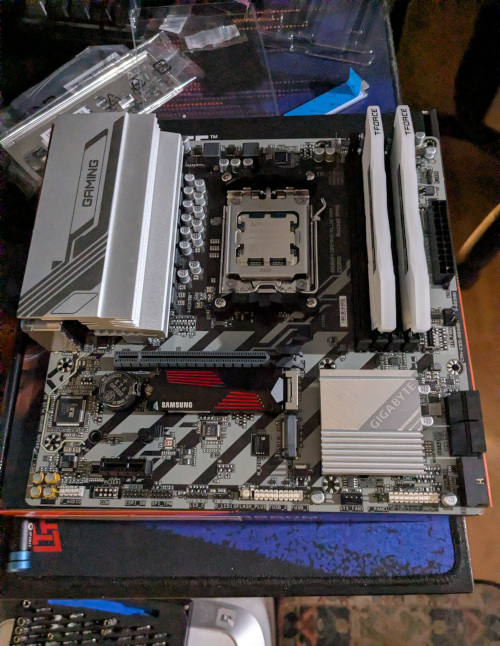
Yes, I have a LTT desk pad and an iFixit Mako Driver Kit.
Then:
- Put CPU cooler, check
- Temporarily remove rear motherboard fan, check
- Put motherboard I/O shield on case, check
- Put motherboard in case…
One of the I/O shield ground tabs got wrongly bent, as seen in this recent video I watched today, surprisingly, with the same board I guess. I was done building this on the 15th at night. I did fix it, with some hiccups. When I placed the motherboard for the first time, it got stuck. In the end, I just had to put some rightward pressure. The rest was easy, despite how messy the place looked with boxes open and plastic bags scattered everywhere.
Then another random image, which was before or after the I/O shield fix:
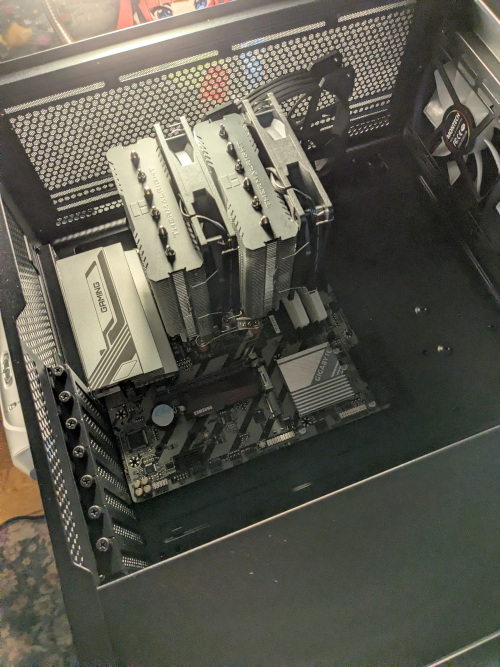
See the Nino plush. Anyway…
Then:
- Put back rear motherboard fan
- Put GPU, check
- Put PSU, check
- Wire everything neatly, check
Lastly, I just put the right metal panel back on (please don’t put the glass panel back yet) and hoped for a post:
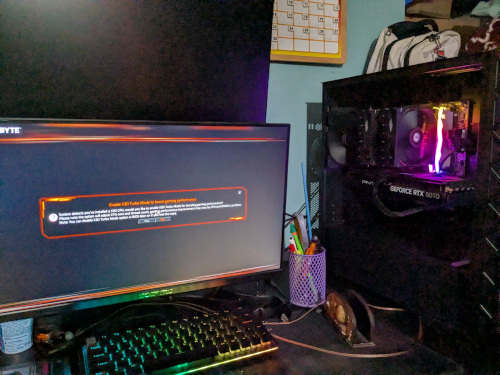
It posted, but there are a few more issues at hand. Throughout the following days, I did some tests.
Here is a dump of them in no particular order:
- bluetooth, check
- wifi, check (latest 6101.19.134.0 driver has intermittent connection issues, at least on Minecraft, use 6001.19.119.0 for now)
- gpu, check (latest 591.44 driver slows down system to a slideshow and can maybe recover after ~5 minutes, repro: alt-tabbing on Minecraft and waiting for a bit, use 581.80 for now) (may need more testing on other games for some tradeoff bug fixes or stuff)
- front I/O, check
- hardware and cooling, check (did stress tests: memtest86 (ram), furmark (gpu), cinebench and prime95 (cpu))
- firmware update on ssd, check (had some old known bugs)
- bios update, check (just because and when I was debugging the above)
- bios settings (expo 1 [for AMD CPU and seemingly the only setting that does 6000 Mhz], forcefully disable iGPU [auto doesn’t work, unnecessarily reserves ram for unused iGPU])
I don’t really play games, so I just tested osu! and Minecraft. I use osu! to see if the performance and latency is similar to my current setup and Minecraft just because I was playing that at the time. Minecraft surprisingly shows two bugs that I’ve fixed via driver downgrades.
Well that’s it. See you next time. Or next year. Or next post, I guess.